-

-

Weeki

Weeki

-

-

Design of a new SaaS project

UX / UI

UX / UI

Adobe XD

Miro

Google suite

2022

2022

Adobe XD

Miro

Google suite

Situation

Situation

S

.

Context

Weeki was an online whiteboard SaaS application. Like Miro or Mural, the goal of such an application is improve collaboration between users.

However where these solutions are more oriented towards product teams and project management, Weeki is directed towards R&D, academic research or education.

A large part of the challenge is therefore centered on the centralization and visualization of scientific knowledge and the integration of multidisciplinary information.

Task (s)

Task (s)

T

.

Before I arrived on this project, a lot of work had been done upstream, in particular some design work in the form of screenshots of many other applications, annotated and modified to form a first outline of the project's appearance and architecture.

Another element came to my knowledge in the form of an extensive technical document detailling the features that were meant to be implemented. The UX maturity level was also low. Combining these factors with a restrained budget, I knew that the implementation of a quick and easy method would be benefical for the project. Therefore, my first initiative was to push for a UX audit on these first sketches.

After this successful first step, I was tasked to start designing the app.

Actions

Actions

A

.

UX Audit

Benchmarking

Feature Priorization

UX Roadmap

Design Sprints

Results

Results

R

.

User Experience

20

Usability issues

The original audit was an excellent evangelistic tool on the importance of user experience.

Beyond the measurable result, this method helped trigger a real awareness of how it was possible to make the idea behind Weeki materialize with a user-centric perspective.

Business

2

public funding secured

My work also contributed in making a difference in how the project was perceived. It had now more chances of obtaining funding and scoring partnerships, indispensable for it becoming a reality.

The first one was from the regional agency for development and innovation (HDFID in french) and a second from the public investment bank (BPI in french).
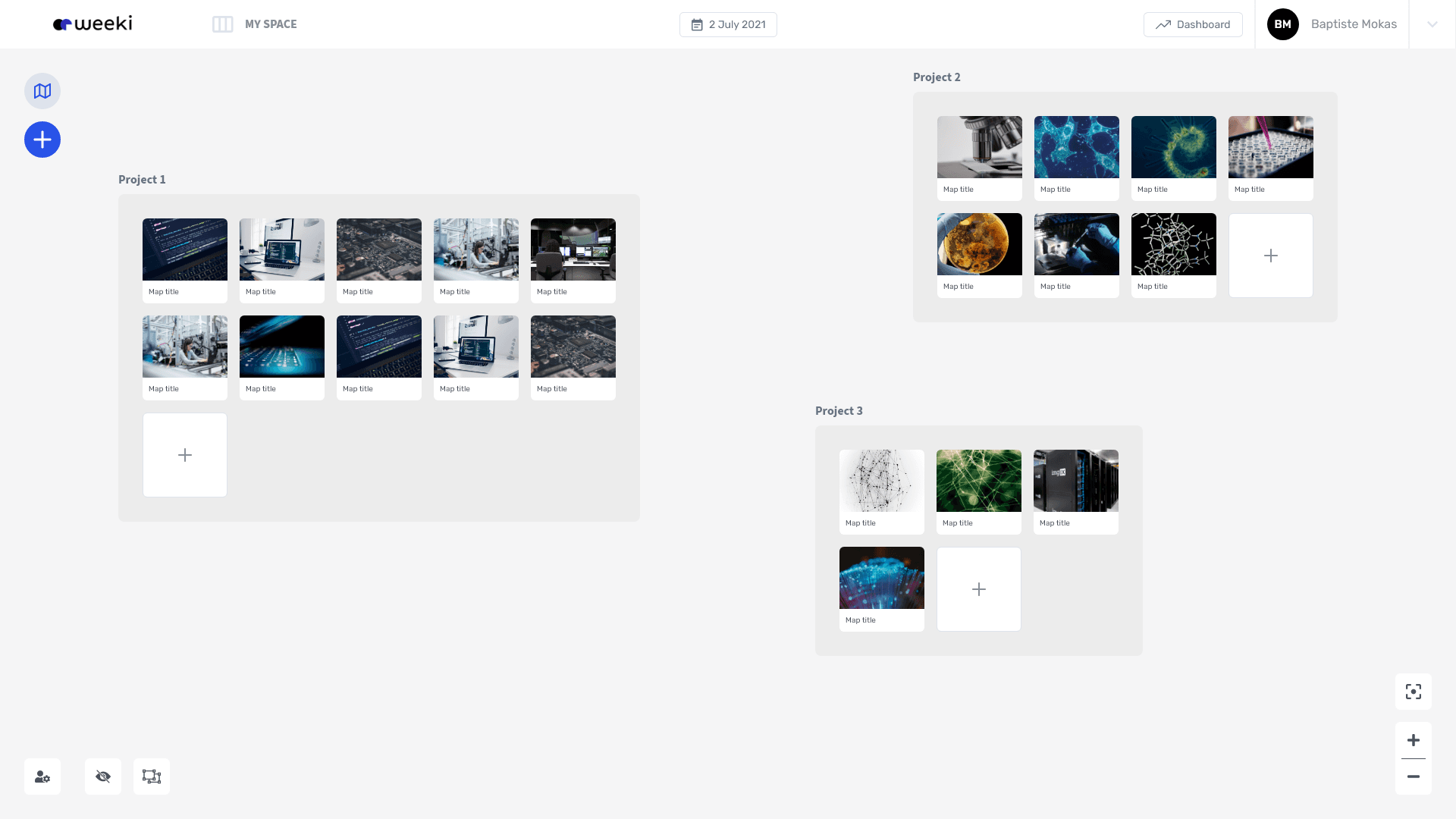
UI Example : User Space

The whiteboarding part of the app is divided into two parts : the user space and the maps.

Maps can be regrouped into projects.

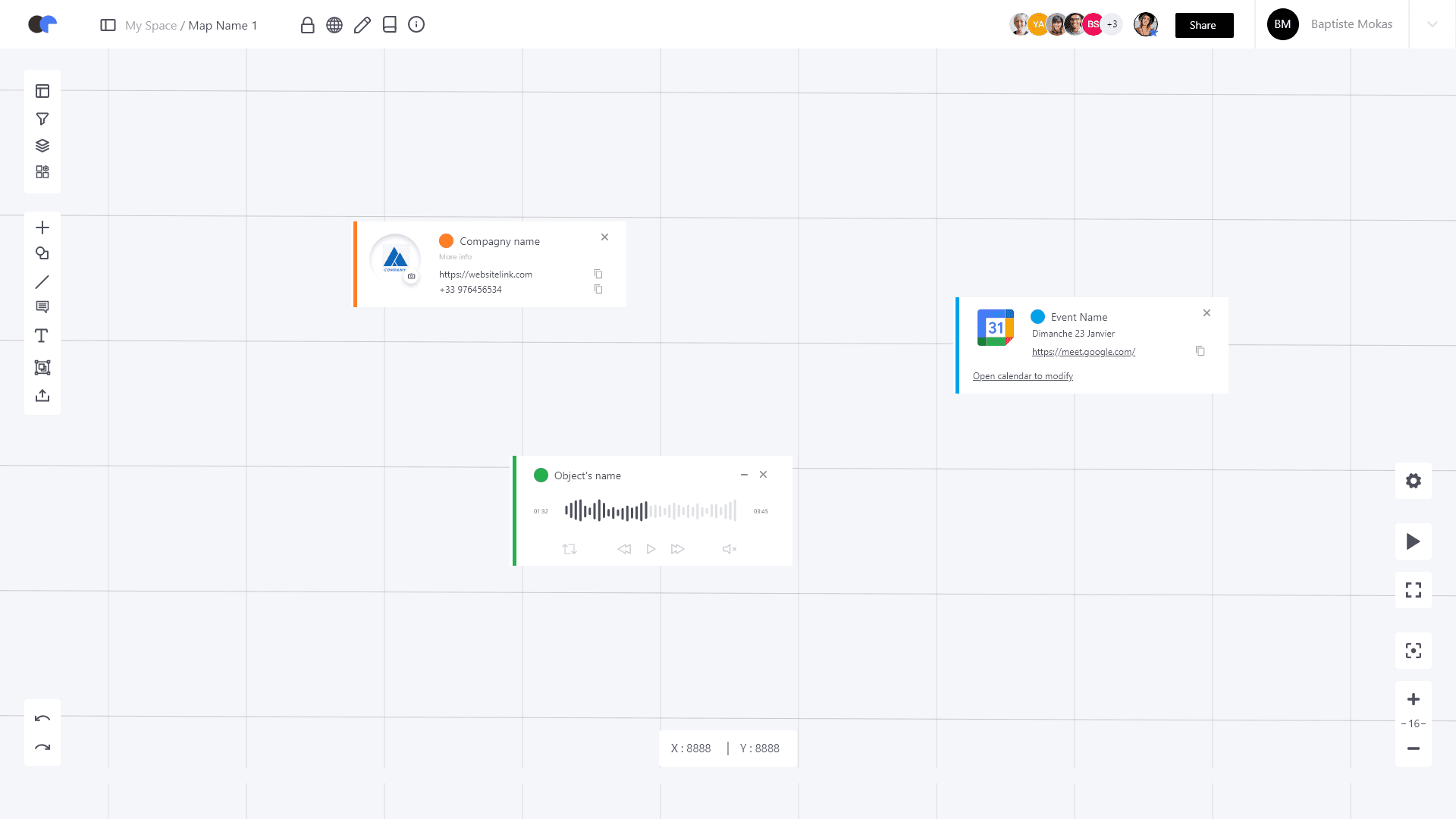
It's on maps that different kinds of objects (articles, videos, voice notes, links, etc.) can be placed, grouped and linked together.

UI Example : User Space

The whiteboarding part of the app is divided into two parts : the user space and the maps.

Maps can be regrouped into projects.

It's on maps that different kinds of objects (articles, videos, voice notes, links, etc.) can be placed, grouped and linked together.

UI Example : User Map

UI Example : User Map

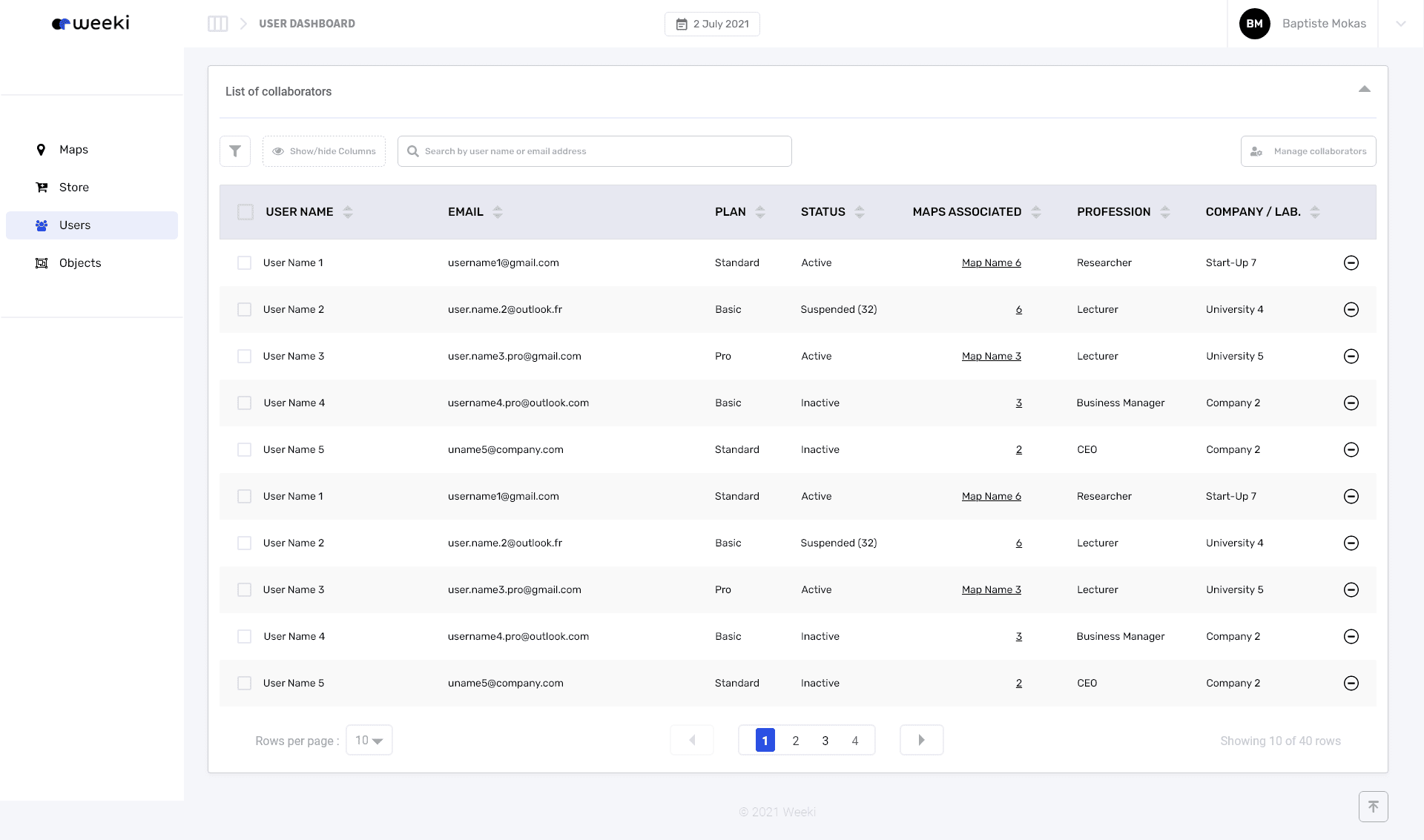
UI Example : Dashboard

This is the part of the map where app administrators can oversee all users presen and handle typical admin ops (suspend or delete a user, etc.).

UI Example : Dashboard

This is the part of the map where app administrators can oversee all users presen and handle typical admin ops (suspend or delete a user, etc.).

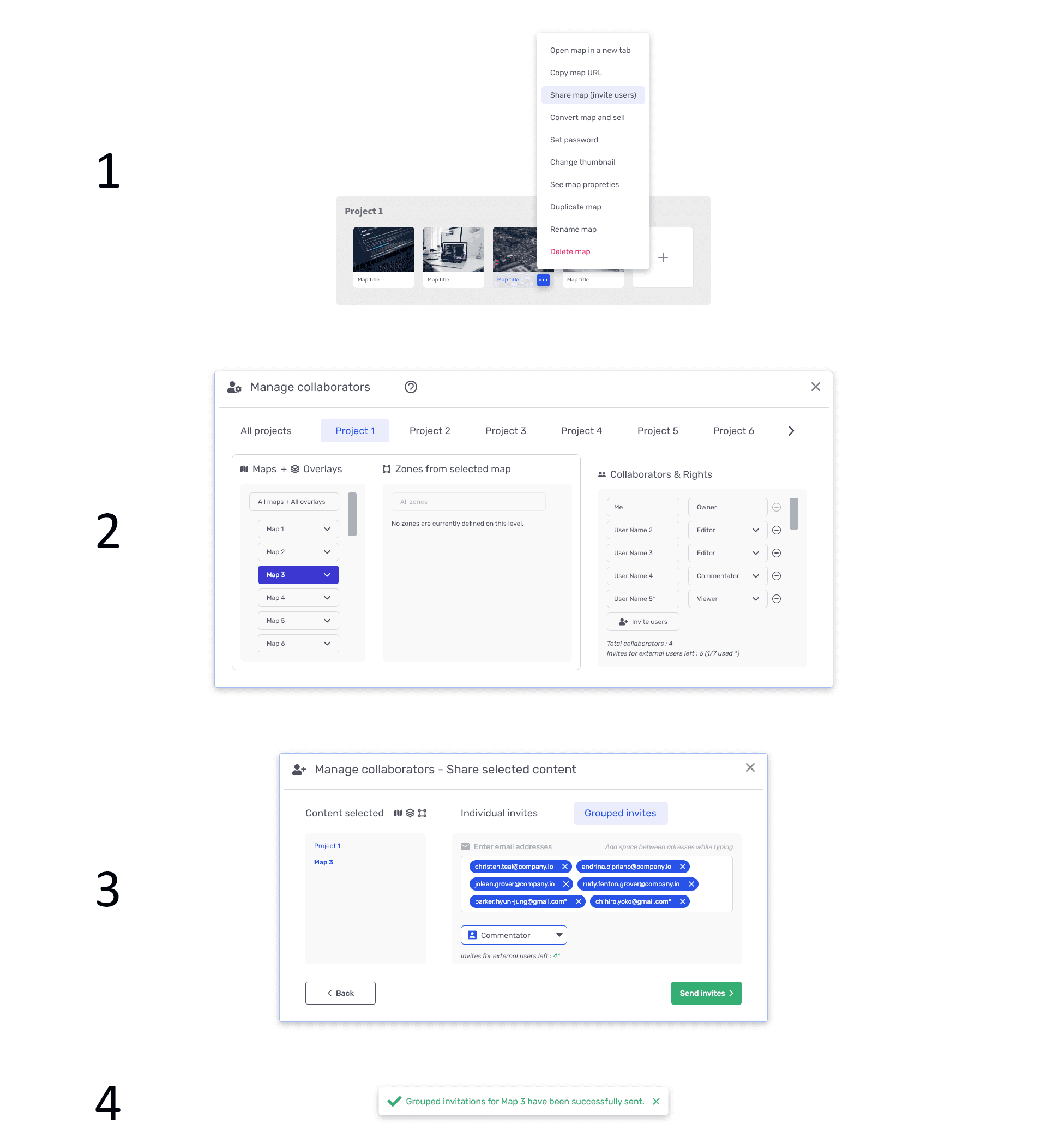
UI Example : Map Share Flow

What is shared ? To who ? With what authorizations ? Are they all the same for all users ?

The challenge here was to design a modal that lets the user know exactly was content is shared.

There is a hierarchy to keep in mind (overlays can be placed on maps, which works like layers, and zones), which makes it important to not have the user memorize anything and keep this information visible at all times.

Lastly two scenarios had to be taken into account : individual invites and grouped invites.

UI Example : Map Share Flow

What is shared ? To who ? With what authorizations ? Are they all the same for all users ?

The challenge here was to design a modal that lets the user know exactly was content is shared.

There is a hierarchy to keep in mind (overlays can be placed on maps, which works like layers, and zones), which makes it important to not have the user memorize anything and keep this information visible at all times.

Lastly two scenarios had to be taken into account : individual invites and grouped invites.

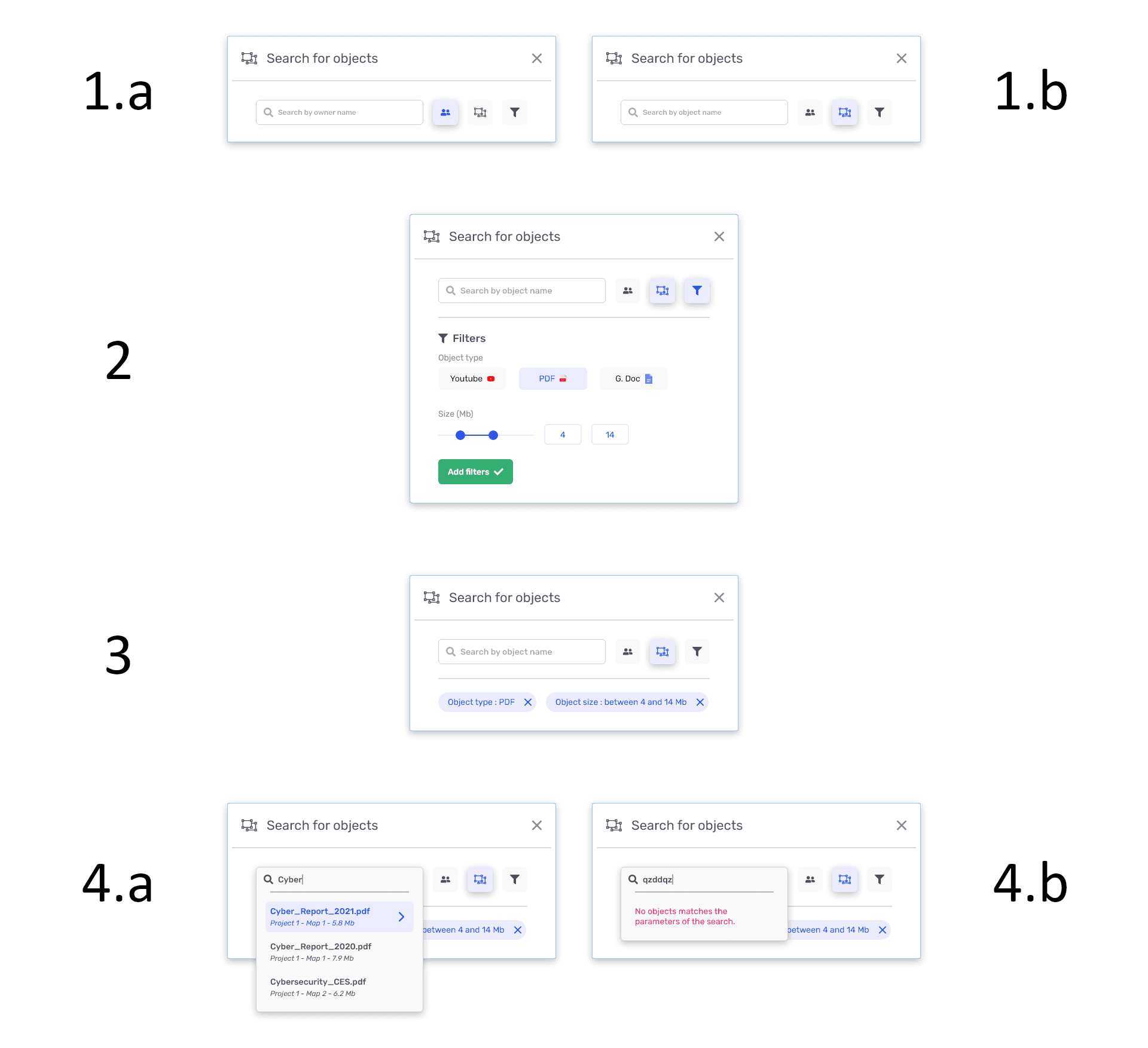
UI Example : Object Search

The maps could contain a great volume of content therefore visually scanning for a specific object could easily become tedious.

Here I decided that a search by object name or by owner is the most straight forward approach while providing additional filters to help norrow things down.

As always providing the option to remove the filter without having to go back where ther were defined is mandatory.

UI Example : Object Search

The maps could contain a great volume of content therefore visually scanning for a specific object could easily become tedious.

Here I decided that a search by object name or by owner is the most straight forward approach while providing additional filters to help norrow things down.

As always providing the option to remove the filter without having to go back where ther were defined is mandatory.

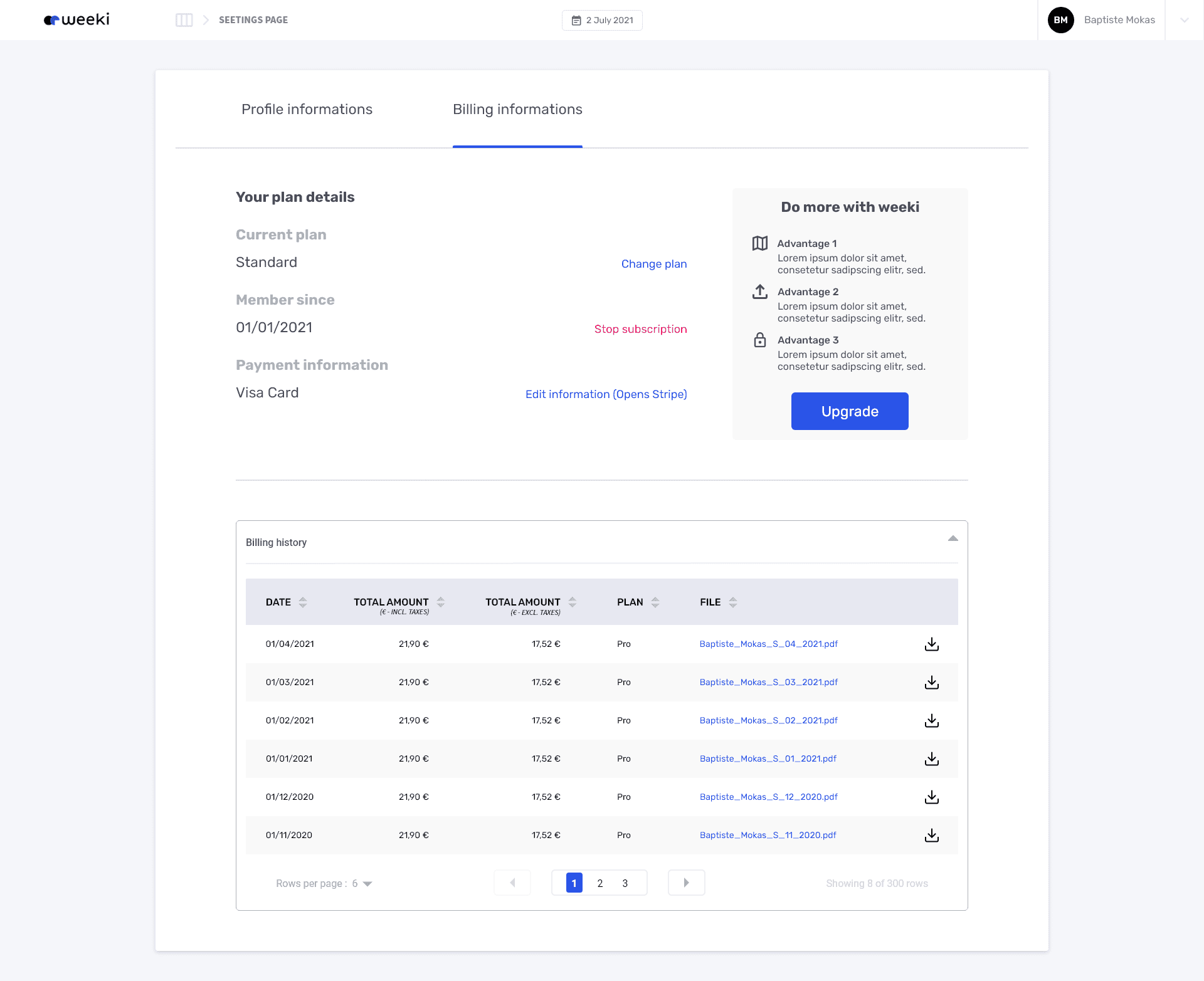
UI Example : Settings - Billing

The table component is recycled to display previous payment and to easily download corresponding files.

UI Example : Settings - Billing

The table component is recycled to display previous payment and to easily download corresponding files.

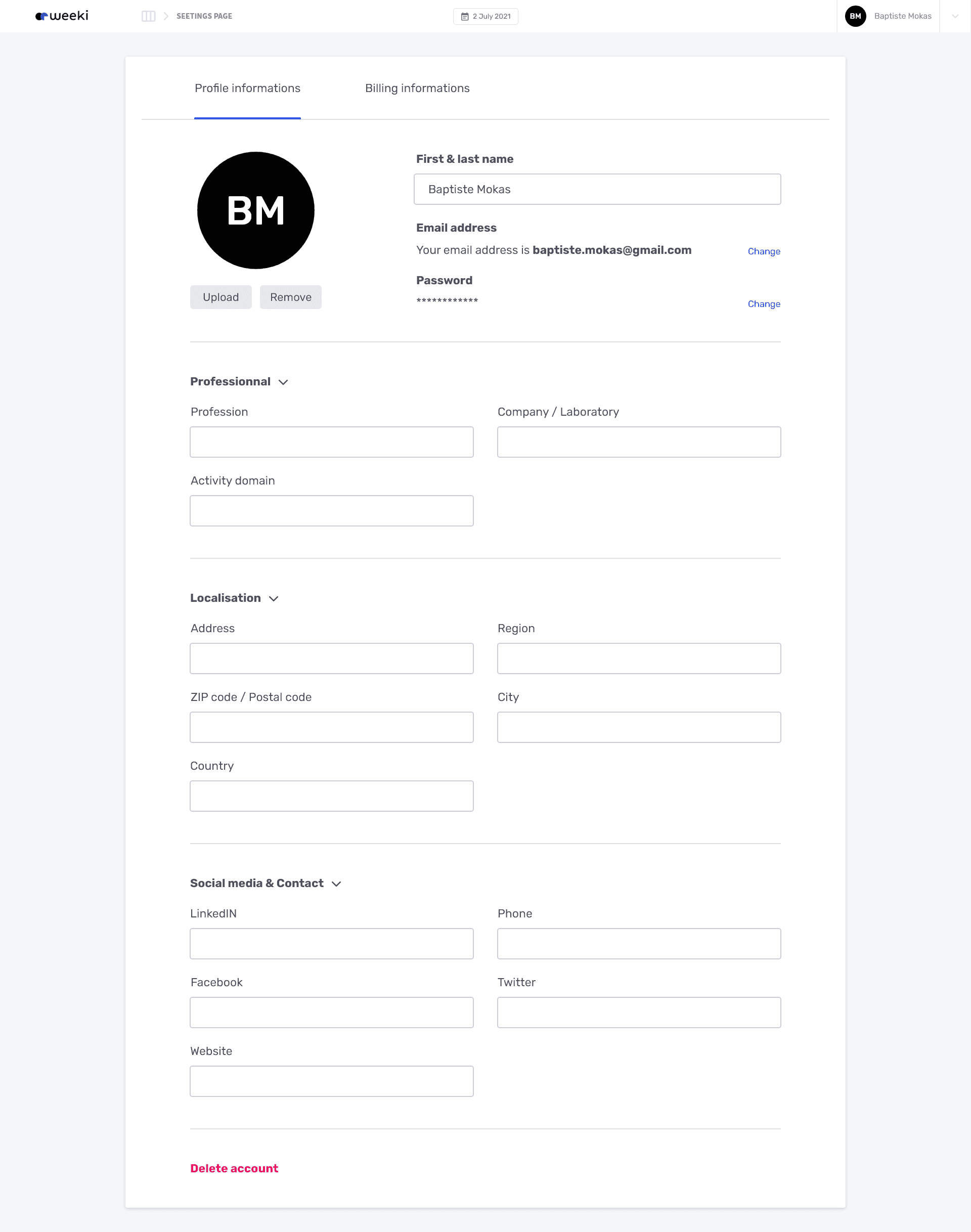
UI Example : Settings - Profile Informations

UI Example : Settings - Profile Informations

© 2026 Matthieu Vanbecelaere — Designed & built in

© 2026 Matthieu Vanbecelaere — Designed & built in

© 2026 Matthieu Vanbecelaere — Designed & built in